Time tracking
Every minute,
where it belongs.
Start a timer or log the afternoon by hand. Either way it lands against the right project, at the right rate, ready to invoice.
Timer running
Homepage wireframes
Arrow Website Refresh · £85/hr
01:24:08
Billable so far
£119.13
Earlier today
Client call · Huddersfield Commercial
0:45
Retainer report · Northlight Studio
1:20
Internal · Weekly planning non-billable
0:30
How it works
Three steps, then it's habit
-
01
Start the timer
One click from anywhere in Wisdom, against a live project and task. Or type the hours in later — the timesheet takes both.
-
02
It lands on the budget
Every entry hits the project budget at the right rate, so overspend shows up while you can still do something about it.
-
03
Approve and invoice
Approved hours become an invoice line. No re-keying, no reconciling a spreadsheet against your inbox.
In the numbers
Billable and non-billable, side by side
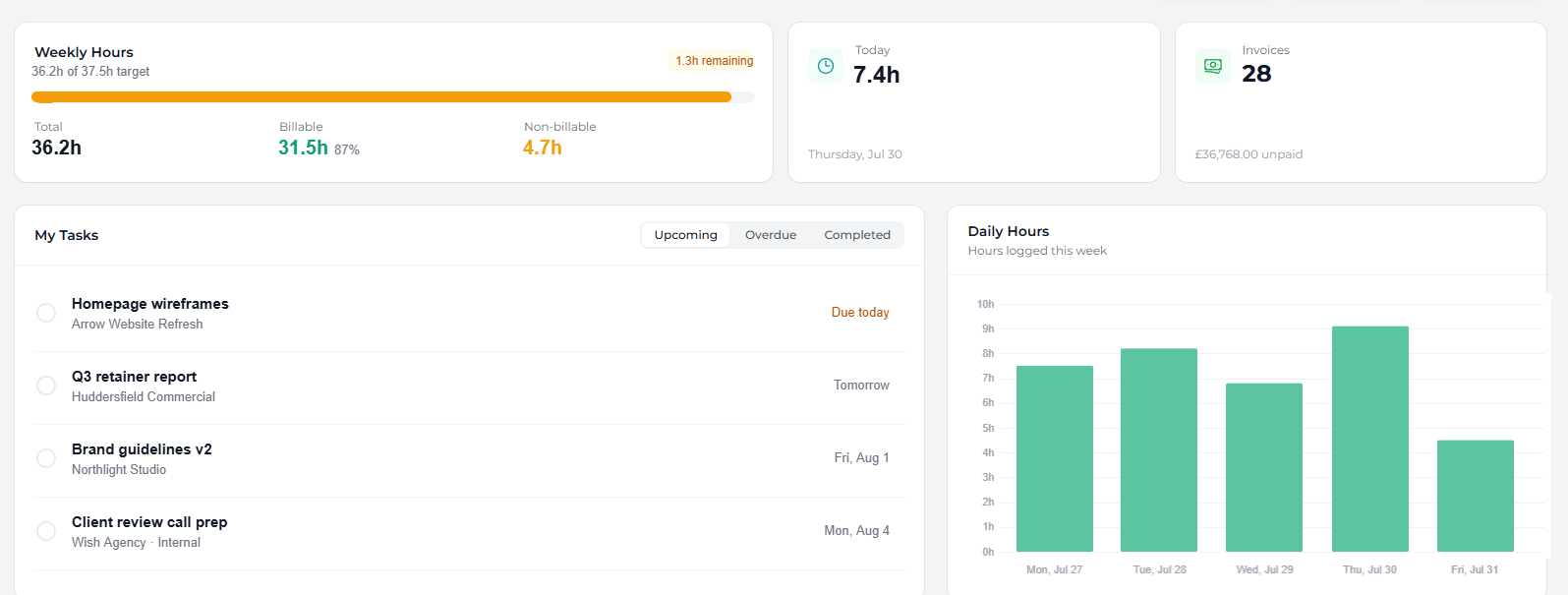
The dashboard shows the week as it stands — hours logged, what's billable, and how close each person is to their target.
-
Weekly targets. See remaining capacity before you promise it to a client.
-
Daily breakdown. Spot the day that quietly went to internal work.
-
Export anywhere. Any date range, any client, straight out to CSV.
Fifteen-minute minimum
Optional rounding so a two-minute phone call doesn't cost you money — while the real tracked time stays on the record.
Ten timers at once
For the days that are all context-switching. Pause one, pick up another, and let the totals sort themselves out.
Copy last week
Duplicate a whole timesheet to a new date, then adjust. Retained work stops being a Monday morning chore.
- Length
- 30 days, every single feature unlocked
- Card
- Not required — and no auto-charge at the end
- Setup
- Import clients and projects from a spreadsheet
- After
- Monthly, per seat. Cancel whenever you like